Android Through the Years: Every Version That Shaped Your Phone
From a modest 2008 debut to AI-powered screens — here's how Android evolved, version by version.
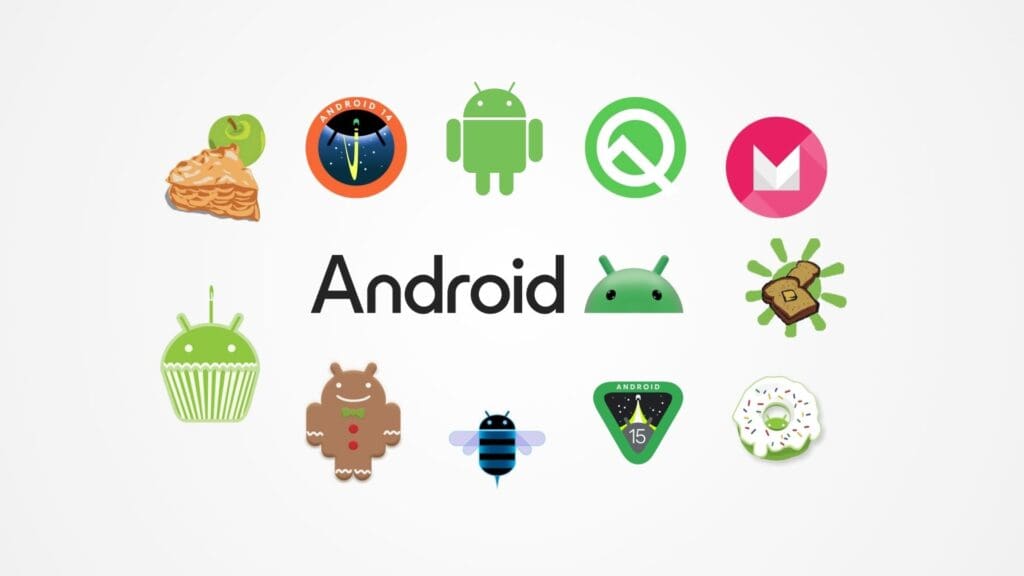
Android 17
Android 16 — "Baklava" (2025)
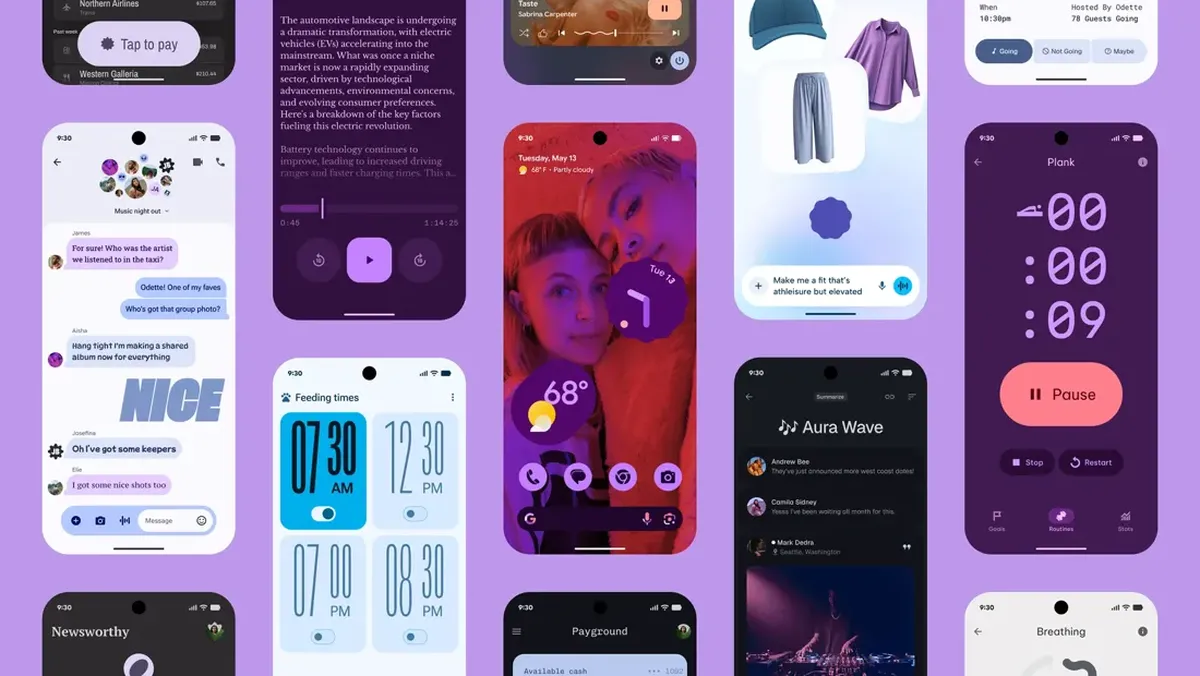
Released: June 10, 2025 · API Level: 36
The most current release. Android 16 feels like Android growing up for the era of bigger screens and smarter devices.
Key Features
Live Updates in the notification bar (think: food delivery, ride progress)
Lock screen widgets (finally returning)
Grouped notifications with smarter sorting
Better desktop mode for DeX-like use cases
Advanced Protection Mode for high-risk users
Improved foldable & large screen support
Gemini AI more deeply integrated across the OS
Notable Devices: Google Pixel 9 series, Samsung Galaxy S25 series
UI/UX Perspective: The push toward Live Activities mirrors what iOS has had since 2022. But Android's open ecosystem means more apps can tap into it. The desktop mode improvements are a signal: Google is slowly making Android a serious productivity OS, not just a phone OS.
Android 15 — "Vanilla Ice Cream" (2024)

Released: October 15, 2024 · API Level: 35
A polish-heavy release focused on privacy, performance, and making the experience feel more intentional.
Key Features
Improved gesture navigation refinements
One-time permissions for sensitive data
Partial screen sharing (share a single app, not full screen)
Predictive back gesture now stable
Better battery health insights
Theft protection & remote lock features
Notable Devices: Google Pixel 9, Samsung Galaxy S24, OnePlus 13
UI/UX Perspective: Predictive back gesture is a small UX change with big implications — it gives users a preview of where "Back" will take them. This reduces navigation anxiety. Partial screen sharing also shows maturity in user control and privacy-first thinking.
Android 14 (2023)
Released: October 4, 2023 · API Level: 34
Customization and accessibility took the spotlight in Android 14.
Key Features
Customizable lock screen (finally!)
Font scaling up to 200% for accessibility
Per-app language settings
Health Connect built in
Better photo picker with scoped media access
Ultra HDR image support
Notable Devices: Google Pixel 8 & 8 Pro, Samsung Galaxy S23 series
UI/UX Perspective: Lock screen customization was long overdue. Android 14 acknowledged that people personalize their phones heavily — and the OS should support that, not fight it. The accessibility-first approach (200% fonts) also signals more inclusive design thinking.
Android 13 (2022)
Released: August 15, 2022 · API Level: 33
Android 13 was about refining Material You and tightening up permissions.
Key Features
Per-app language preferences
Themed app icons (extended to third-party apps)
More granular media permissions (photo vs. video vs. audio)
Clipboard privacy (auto-clear after time)
Nearby Wi-Fi devices permission separated from location
Better tablet/large screen UI
Notable Devices: Google Pixel 7, Samsung Galaxy Z Fold 4, OnePlus 10 Pro
UI/UX Perspective: Themed icons became a real design story — for the first time, your whole home screen could feel cohesive. The challenge? App developers had to adopt it. Many didn't, creating a fragmented visual experience that still exists today.
Android 12 — Material You (2021)
Released: October 4, 2021 · API Level: 31
This was Android's biggest visual redesign in years. Material You changed everything about how Android looked and felt.
Key Features
Dynamic color theming based on your wallpaper
Redesigned widgets, toggles, and system UI
Privacy dashboard & indicators (mic/camera in use)
Scrolling screenshots
One-handed mode
Better Conversation widgets
Notable Devices: Google Pixel 6, Samsung Galaxy S21 (One UI 4)
UI/UX Perspective: Material You was a genuine design philosophy shift — moving from a rigid system to a personal one. Adaptive color is hard to do well, but when it works, it creates a sense of cohesion that feels magical. This release set the bar for Android aesthetics for years to come.
Android 11 (2020)
Released: September 8, 2020 · API Level: 30
Conversations, bubbles, and one-time permissions defined Android 11.
Key Features
Conversation notifications (separate section for messaging apps)
Chat Bubbles (like Facebook Messenger heads)
One-time permissions for mic, camera, location
Media controls moved to quick settings
Screen recorder built-in
5G support improvements
Notable Devices: Google Pixel 5, Samsung Galaxy S20, OnePlus 8T
UI/UX Perspective: Conversation notifications were a smart recognition that who you're talking to matters more than which app is notifying you. Chat Bubbles had a slow adoption but are now a familiar pattern across apps.
Android 10 (2019)
Released: September 3, 2019 · API Level: 29
The last version to drop the dessert name publicly. Android 10 introduced system-level dark mode and powerful gestures.
Key Features
System-wide Dark Theme (finally!)
Full gesture navigation (swipe-based, no buttons)
Improved location permissions (allow only while using)
Smart Reply in notifications
Focus Mode
Live Caption
Notable Devices: Google Pixel 4, OnePlus 7T, Samsung Galaxy Note 10
UI/UX Perspective: Dark Mode wasn't just an aesthetic win — it reduced eye strain and extended battery on AMOLED screens. Gesture navigation removed the bottom bar entirely, giving apps more vertical real estate. Both changes permanently altered how Android feels to use.
Android 9 — Pie (2018)
Released: August 6, 2018 · API Level: 28
Android Pie introduced the pill-shaped navigation button and a major visual overhaul of quick settings and notifications.
Key Features
Pill navigation button (home gesture introduced)
Adaptive Battery using AI
App Actions & Slices
Dashboard for digital wellbeing
Wind Down / Bedtime mode
Notch support (display cutout API)
Notable Devices: Google Pixel 3, OnePlus 6T, Sony Xperia XZ3
UI/UX Perspective: Android Pie started the death of the classic 3-button nav. The pill button was awkward at first, but it planted the seed for full gesture nav in Android 10. Digital Wellbeing was also a bold move — an OS actively helping users spend less time on it.
Android 8 — Oreo (2017)
Released: August 21, 2017 · API Level: 26–27
Key Features: Picture-in-Picture mode, Notification dots/badges, Autofill framework, Adaptive icons, Faster boot times
Notable Devices: Google Pixel 2, Samsung Galaxy S8 (updated)
UI/UX Perspective: Adaptive icons were huge for visual consistency — they allowed launchers to shape icons uniformly (circle, squircle, etc.), cleaning up the chaotic grid of mismatched icons on home screens.
Android 7 — Nougat (2016)
Released: August 22, 2016 · API Level: 24–25
Key Features: Multi-window split screen, Direct Reply in notifications, Data Saver, Doze improvements, Java 8 support
Notable Devices: Google Pixel (first gen), LG V20, Samsung Galaxy S7
UI/UX Perspective: Split-screen multitasking arrived on phones, but it never became mainstream. Why? Screen sizes weren't ready. The feature works far better on tablets and foldables — which is why it's more relevant now than it was then.
Android 6 — Marshmallow (2015)
Released: October 5, 2015 · API Level: 23
Key Features: Runtime permissions, Fingerprint API, Doze mode, Google Now on Tap, USB Type-C support, App Standby
UI/UX Perspective: Runtime permissions changed the relationship between users and apps. Instead of granting everything at install, users could now decide in the moment. This was a foundational privacy UX decision that influenced all future versions.
Android 5 — Lollipop (2014)
Released: November 3, 2014 · API Level: 21–22
Key Features: Material Design (completely new visual language), ART runtime, Notifications on lock screen, Multi-user support, Battery Saver mode
UI/UX Perspective: Material Design was Android's coming-of-age moment. Depth, shadows, motion, bold colors — it gave designers a unified system to work within. It was the first time Android felt designed, not just functional.
Android 4.4 — KitKat (2013)
Released: October 31, 2013 · API Level: 19–20
Key Features: Translucent status/nav bars, Immersive mode, Step sensor, Wireless printing, "OK Google" hotword detection
UI/UX Perspective: Immersive mode was a game-changer for media and gaming — hiding all UI chrome to make content truly full-screen. Translucent bars also started the trend of apps extending into status bar space.
Android 4.1–4.3 — Jelly Bean (2012–2013)
Key Features: Project Butter (60fps UI), Expandable notifications, Google Now (AI assistant debut), Daydream screensaver, Bluetooth AVRCP
UI/UX Perspective: Project Butter was about feel. Before Jelly Bean, Android had a reputation for janky scrolling. After it, the experience became genuinely smooth. Google Now was also the first time the OS felt proactive — not just reactive.
Android 4.0 — Ice Cream Sandwich (2011)
Key Features: Unified phone/tablet UI, Face Unlock, NFC Android Beam, Data usage control, Resizable widgets, Holo design language
UI/UX Perspective: ICS unified the fragmented phone and tablet experiences into one coherent design language (Holo). It set the foundation for everything Material Design would become.
Android 2.3 — Gingerbread (2010)
Released: December 6, 2010 · API Level: 9–10
The last of Android's "rough around the edges" era — and arguably the most iconic looking version of early Android.
Key Features
Completely refreshed UI with a dark, high-contrast theme (green on black)
NFC support — the first Android version to support Near Field Communication
Multiple camera support (front + rear)
Built-in Download Manager
SIP/VoIP calling support
Improved copy-paste system with text selection handles
Better power management and battery usage stats
Game performance improvements via updated OpenGL support
Notable Devices: Samsung Nexus S (launch device), HTC Desire HD, Sony Ericsson Xperia Arc
UI/UX Perspective: Gingerbread's UI was deeply skeuomorphic — textured backgrounds, green accents, physical-feeling buttons. It looked like it was designed for a world that still expected phones to feel like real objects. The dark theme wasn't a choice — it was a necessity for AMOLED screens to save battery. In hindsight, it was Android's most distinct visual personality before the Material era washed it all away.
Android 2.2 — Froyo (2010)
Released: May 20, 2010 · API Level: 8
Short for "Frozen Yogurt," Froyo was a performance-focused release that also opened Android up as a platform — both for the web and for tethering.
Key Features
JIT (Just-In-Time) compiler — made apps significantly faster
Adobe Flash support in the browser (a big deal at the time)
Mobile Wi-Fi Hotspot / USB tethering
App2SD — move apps to SD card to save internal storage
Push notifications via Cloud to Device Messaging (C2DM)
Voice Actions (early voice command system)
Support for multiple Exchange accounts
Notable Devices: HTC Desire, Motorola Droid 2, Samsung Galaxy S (update)
UI/UX Perspective: Froyo was when Android started to feel fast. The JIT compiler improvement was invisible to users, but noticeable in daily use — smoother scrolling, quicker app launches. Flash support felt like a win against iOS's famous omission, but it was also a glimpse at the future problem: plugins in browsers degrade the experience more than they help.
Android 2.0–2.1 — Eclair (2009)
Released: October 26, 2009 · API Level: 5–7
Eclair was the version that made Android a serious smartphone contender. It came loaded with features that rivaled iOS for the first time.
Key Features
Turn-by-turn Google Maps Navigation (free, built-in GPS nav)
Revamped contacts and phone UI
Microsoft Exchange email support
Live Wallpapers
Multiple email account support (including Gmail)
Pinch-to-zoom in the browser and Maps
Bluetooth 2.1 + improved camera with flash support
Notable Devices: Motorola Droid / Milestone (launch device), HTC Hero (update), Google Nexus One (shipped with 2.1)
UI/UX Perspective: Free turn-by-turn navigation was a killer feature — Google just casually destroyed entire industries (standalone GPS devices, Garmin, TomTom) with a software update. Live Wallpapers were pure delight — interactive, animated home screens felt futuristic. Pinch-to-zoom finally matched the iPhone's core gesture. Eclair was Android's "we mean business" release.
Android 1.6 — Donut (2009)
Released: September 15, 2009 · API Level: 4
A small but meaningful release that expanded Android's reach globally and improved core usability.
Key Features
Unified Search across apps, contacts, and the web
CDMA network support (allowed Android to come to Verizon and Sprint)
Support for WVGA and QVGA screen resolutions
Expanded voice search
Android Market improvements (screenshots in listings)
Text-to-speech engine
Notable Devices: HTC Hero, Samsung Galaxy (original), T-Mobile myTouch 3G
UI/UX Perspective: Donut's unified search was an early hint at Android's philosophy: the OS itself is a search engine. Everything should be findable from one bar. That idea never really died — it's still alive in Android's app search and Google Discover today. CDMA support was a business move, not a UX one, but it meant millions more users could get Android on their carrier.
Android 1.5 — Cupcake (2009)
Released: April 27, 2009 · API Level: 3
The first version to get a dessert nickname, and the first to feel like a modern smartphone OS.
Key Features
On-screen soft keyboard (no physical keyboard required)
Video recording and upload to YouTube
Third-party widget support on home screen
Copy and paste (basic)
Stereo Bluetooth support (A2DP)
Auto-rotation support
Notable Devices: HTC Magic (first Cupcake device), T-Mobile G1 (updated)
UI/UX Perspective: The soft keyboard changed everything about Android hardware design. Before Cupcake, Android phones needed physical keyboards — after it, manufacturers could make thinner, fully touchscreen devices. This one update shaped the form factor of Android phones for the next decade. Home screen widgets were also introduced here — a feature Android would hold over iOS for years.
Android 1.0 (2008)
Released: September 23, 2008 · API Level: 1
The one that started it all. Rough, utilitarian, and built around Google services.
Key Features
Gmail, Google Maps, Google Search (deeply integrated)
Android Market (now Google Play)
YouTube app
Google Calendar & Contacts sync
Web browser with HTML + XHTML support
Wi-Fi, Bluetooth, and Camera support
Google Talk (instant messaging)
Notable Devices: HTC Dream / T-Mobile G1 (the very first Android phone)
UI/UX Perspective: Android 1.0 wasn't pretty — it had a physical trackball, required a QWERTY keyboard, and looked nothing like what we know today. But the foundation was right: open, Google-connected, and built for the web. The T-Mobile G1's design feels almost alien now — a sliding keyboard phone with a chin-mounted trackball. Yet it started a platform that now runs on 3 billion devices worldwide.
The Big Picture
Version | Year | Design Era |
|---|---|---|
Android 16 | 2025 | AI-native, adaptive |
Android 12–15 | 2021–2024 | Material You era |
Android 9–11 | 2018–2020 | Gesture + dark mode era |
Android 5–8 | 2014–2017 | Material Design era |
Android 4.x | 2011–2013 | Holo / transition era |
Android 1–3 | 2008–2010 | The early days |
From a UI/UX lens, Android's journey is a story of three acts: finding an identity (1.0–4.x), maturing into a design system (5–11), and becoming personal (12–today). The shift from "functional but rough" to "expressive and adaptive" reflects a broader industry truth — great products eventually stop asking "does it work?" and start asking "does it feel like me?"
Sources: Android Developers, Wikipedia, Google I/O