Every Version of Windows, Ranked by How It Felt to Use
A quick tour through 40 years of Microsoft Windows — from the latest AI-powered desktop to the very first tiled GUI.
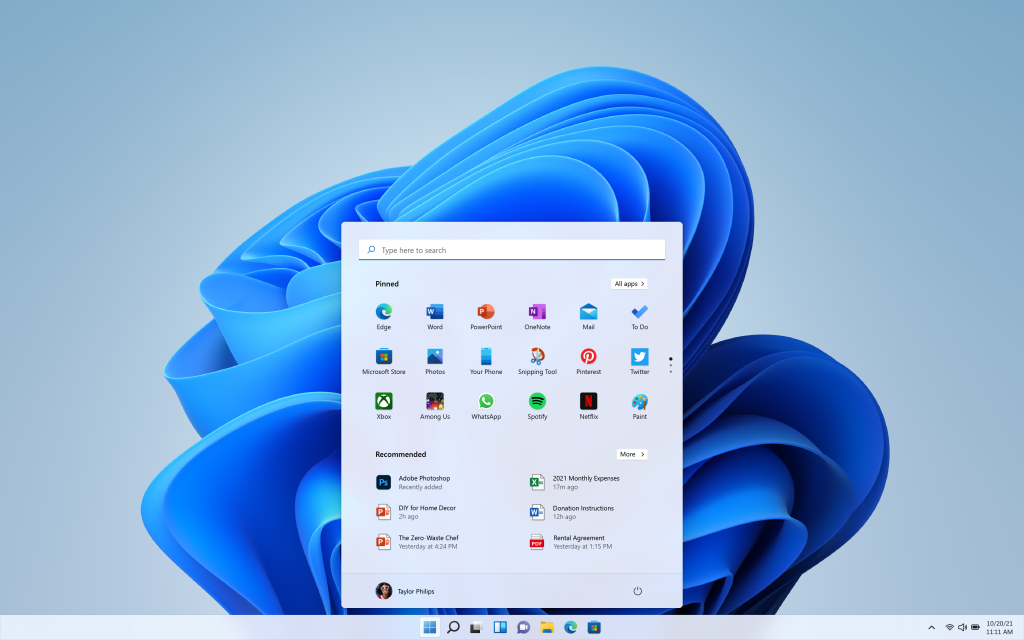
Windows 11 (2021 – present)
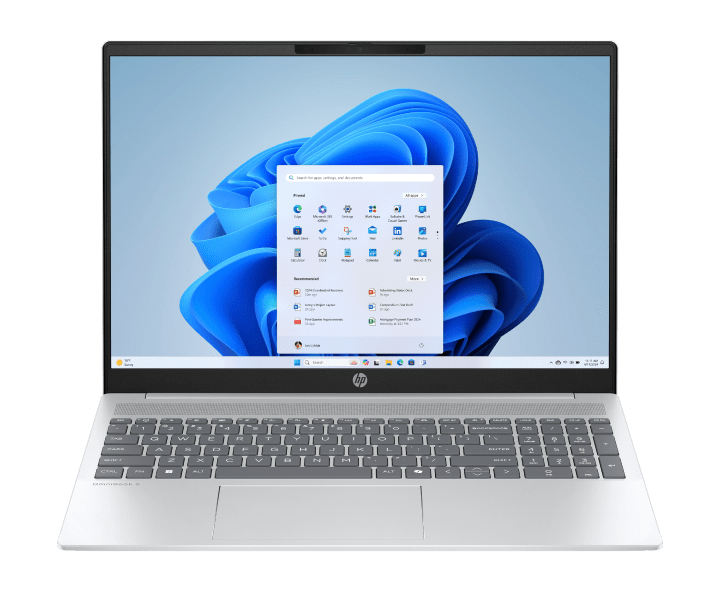
The current version, and honestly one of the prettiest Microsoft has ever shipped. Rounded corners, a centered Start menu, and that soft frosted-glass look (called "Mica") make it feel modern and calm. Snap Layouts finally make multi-window workflows feel effortless.
Standout features: Copilot AI assistant, Snap Layouts, redesigned Start menu, Widgets panel, much cleaner File Explorer.
Best on: Surface Pro, Copilot+ PCs (Snapdragon X Elite, Intel Core Ultra), gaming laptops.
UX take: Clean and human. The big criticism is that legacy dialogs from Windows 7 still pop up everywhere — but Microsoft is fixing that, slowly.
Windows 10 (2015 – 2025)

After Windows 8's disaster, Microsoft course-corrected hard. The Start Menu came back, it ran on everything from $200 laptops to high-end desktops, and it got free updates for a decade. Also the last version to officially support Windows 7 upgrades for free.
Standout features: Virtual desktops, Windows Hello (face unlock), Dark Mode, Microsoft Edge, Cortana, WSL (Linux on Windows).
Best on: Practically any PC from 2012 onwards — broad hardware support was its superpower.
UX take: Solid and dependable. Not exciting, but that's not always a bad thing.
Windows 8 / 8.1 (2012 – 2023)

The infamous one. Microsoft bet hard on touch screens and replaced the Start Menu with a full-screen tile grid. On tablets — actually fine. On a desktop with a mouse — genuinely confusing. The Start button quietly came back in 8.1 after an avalanche of complaints.
Standout features: Live Tiles, fast boot times, Windows Store, improved Task Manager, touch-first interface.
Best on: Surface RT, Surface Pro 1–2, touchscreen tablets.
UX take: The right design for the wrong device. A valuable lesson in context mattering more than aesthetics.
Windows 7 (2009 – 2020)

Still regarded by many as the best Windows ever. It took everything Vista tried, made it faster, and stripped away the frustration. Aero Snap, Jump Lists, and a smarter taskbar — all features that feel obvious in hindsight but were genuinely delightful when they arrived.
Standout features: Aero Snap, taskbar pinning, Jump Lists, Aero Peek, Libraries, faster boot than Vista.
Best on: Any mid-range PC from 2008–2014. Ran beautifully on modest hardware.
UX take: The gold standard. Fast, familiar, and full of small thoughtful touches. Loved by IT professionals and grandparents alike.
Windows Vista (2007 – 2017)

Vista looked stunning — translucent glass borders, smooth animations, a gorgeous new visual style called Aero. The problem? It needed a powerful GPU to run well, and most laptops of the time couldn't handle it. Then there were the constant security popups. Beautiful, sluggish, and annoying.
Standout features: Aero Glass UI, Windows Search, User Account Control, Windows Sidebar gadgets, Segoe UI font, BitLocker encryption.
Best on: High-spec desktops and enthusiast builds — the audience that could actually enjoy it.
UX take: Ahead of its time visually, behind in performance. Vista's design ideas lived on in Windows 7, which got them right.
Windows XP (2001 – 2014)

Rolling green hills. The blue taskbar. That startup chime. Windows XP was a cultural touchstone. It was the first Windows to feel genuinely friendly, and it merged the consumer (95/98) and business (NT) lines into one solid foundation. It lasted 13 years — a record.
Standout features: Luna visual style, ClearType fonts, System Restore, Fast User Switching, Remote Desktop, Tablet PC Edition.
Best on: Pentium III/4 desktops and early laptops. Also: ATMs and hospital equipment for years after EOL.
UX take: Warm and welcoming. Designed professionals sneered at the colorful "Fisher-Price" look — but a billion users loved it. The users were right.
Windows 2000 (2000 – 2010)

The business-focused, no-nonsense cousin to Windows Me. Built on the rock-solid NT kernel, it was stable, professional, and brought Active Directory to enterprise IT. Not exciting, but deeply reliable.
Standout features: Active Directory, NTFS file system, Plug and Play improvements, Encrypted File System, proper USB support.
Best on: Corporate desktops, early web servers, Pentium II/III workstations.
UX take: Gray, austere, and brilliant. Form follows function in every pixel. Loved by IT departments everywhere.
Windows Me (2000 – 2006)

The black sheep of the Windows 9x family. Me had good ideas — System Restore, Movie Maker, better home networking — wrapped in an unstable package. It crashed. A lot. Often without warning. Released to beat a deadline, it felt unfinished at launch and never recovered the reputation.
Standout features: System Restore (first appearance), Windows Movie Maker, Media Player 7, home networking wizard.
Best on: Multimedia home PCs — when it worked.
UX take: Good intentions, bad execution. Its best ideas got polished and shipped properly in Windows XP.
Windows 98 (1998 – 2006)

The internet era arrived, and Windows 98 arrived with it. USB finally worked properly. Multi-monitor setups became possible. Internet Explorer was woven into the OS. It was messy at the seams but it captured the energy of a world just discovering the web.
Standout features: USB support, multi-monitor, FAT32, DVD playback, Active Desktop, Windows Update (first version).
Best on: Late 90s Pentium desktops with a CD-ROM and a 56K modem.
UX take: The web changed everything and Windows 98 was Windows catching up. The IE integration was bold — and ultimately the source of a landmark antitrust case.
Windows 95 (1995 – 2001)

The one that changed everything. The Start Menu. The Taskbar. Windows Explorer. The "Start Me Up" launch campaign. Windows 95 was a cultural moment, selling 7 million copies in five weeks. Everything we consider standard desktop UX today — it came from here.
Standout features: Start Menu, Taskbar, Windows Explorer, Plug and Play, long filenames, 32-bit multitasking, DirectX.
Best on: 486 and early Pentium PCs — the family computer of the mid-90s.
UX take: The most important Windows release ever made. The Start Menu alone is a design legacy that has outlasted empires.
Windows 3.1 (1992 – 2001)

The first Windows most people actually used. Program Manager, File Manager, Solitaire, Minesweeper — this was the era when the PC started becoming a household object. TrueType fonts made what you saw on screen match what came out of the printer. Sold ~50 million copies.
Standout features: TrueType fonts, multimedia support, OLE (embed Excel charts in Word), Solitaire as mouse training, Windows for Workgroups networking.
Best on: 286 and 386 desktops. The era of beige towers.
UX take: Solitaire-as-onboarding is one of the cleverest user education decisions in software history. Fun beats frustration every time.
Windows 1.0 & 2.0 (1985 – 1987)

The original experiment. Windows 1.0 was a graphical shell on top of MS-DOS — windows couldn't even overlap (they tiled instead). Windows 2.0 fixed that, and introduced Word and Excel to the platform. Rough, limited, but the DNA of everything that followed is right here.
Standout features (1.0): First MS GUI, MS Paint, Notepad, mouse support. Standout features (2.0): Overlapping windows, Control Panel, Word & Excel debut, minimize/maximize.
Best on: IBM PC/XT/AT — the expensive machines of their era.
UX take: Every revolution starts somewhere. The overlapping window in Windows 2.0 was the moment the desktop metaphor became real.
The Design Arc, in One Line Per Era
EraDesign LanguageFeeling1985–1994Tiled / Program ManagerFunctional, gray, technical1995–2000Windows ClassicFriendly, colorful, consumer-first2001–2006Luna (XP)Warm, playful, accessible2007–2008Aero Glass (Vista)Stunning but sluggish2009–2011Aero Refined (Win 7)Elegant and fast2012–2014Metro (Win 8)Bold, touch-first, divisive2015–2020MDL2 / Fluent (Win 10)Practical, transitional2021–nowFluent + Mica (Win 11)Calm, rounded, human
Forty years. Fourteen versions. One consistent goal: making the computer feel less like a machine.